Live & reactive
The part no other streamable format offers. Objects carry rules that resolve at playback time, on the listener's device, in the listener's room.
- Trigger namespaces — sensor. for head and device motion, bio. for heart rate and breath, env. for ambient noise, light and time, session. for elapsed time and playback state
- Combinable conditions — triggers chain into sequences rather than firing in isolation
- Step engine — resolves position, gain and pattern phase per tick, independent of the audio thread
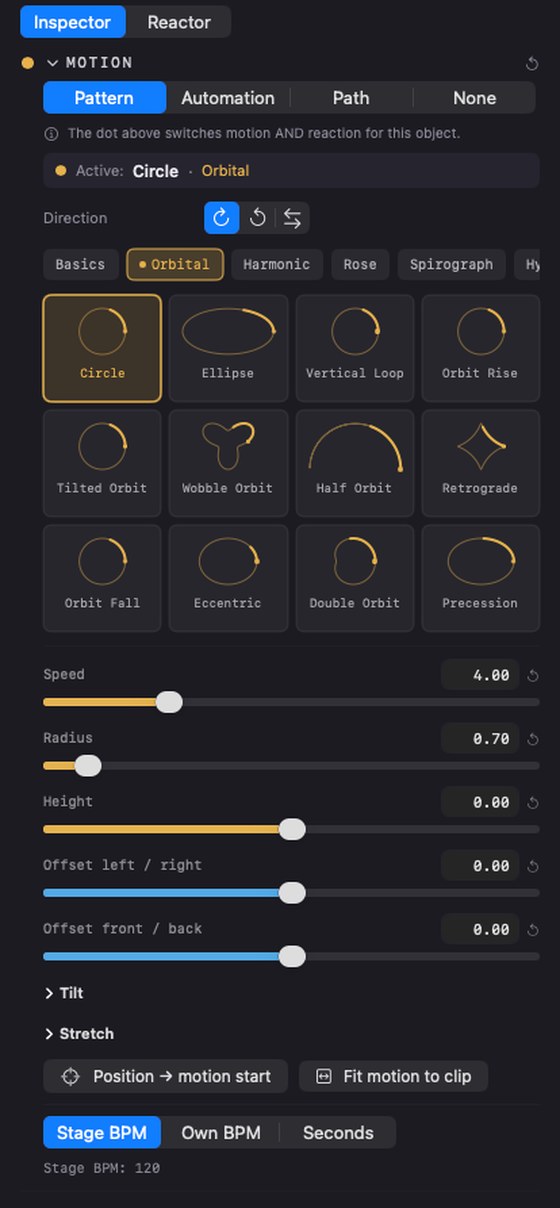
- Motion patterns — 156 across 13 groups, including physics and chaos attractors that keep evolving instead of looping. Each one tiltable and stretchable on all three axes
- Pattern preview — ghost trails show the trajectory before you commit
3D authoring
A real editing environment for a real room, measured in metres rather than arbitrary units.
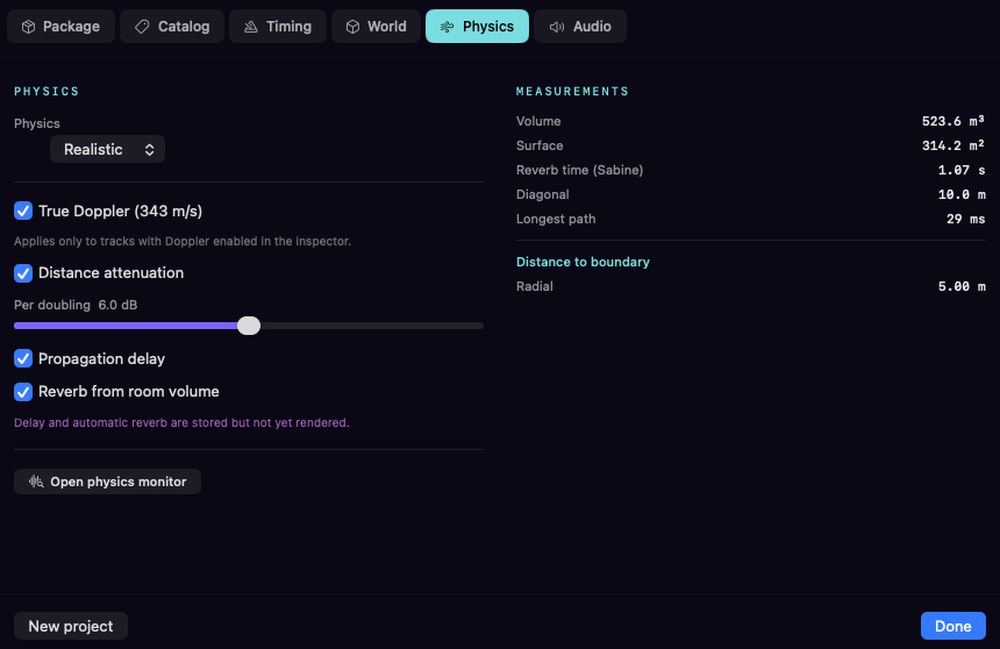
- World geometry — sphere or box, defined in metres, with an explicit listener position
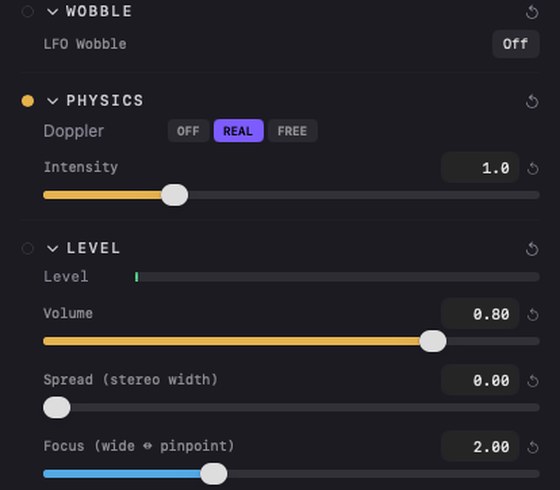
- True physics — Doppler at 343 m/s and distance attenuation follow from the geometry, adjustable per doubling, with 6 dB as the physical value
- Scene editor — drag objects in 3D, or type polar angle, elevation and distance
- Space monitor — separate window showing the rig, the listener and every object in motion. The listening point follows the camera, using the same gesture as the iOS player
- Energy heatmap — bird's-eye view of where the energy actually sits, with decaying afterglow so a moving source leaves a trace
- Speaker rig — any geometry from JSON, DBAP panning, matrix routing for large interfaces
- Timeline — keyframes, loop regions, automation lanes, per-track start offset
- Object Focus — how sharply a source is drawn, per object and per package. Wide for a pad that should fill the room, pinpoint for a footstep. The same value in monitoring, in the export and in the player
- Anchor — bind an object to a particular speaker while keeping its position. On a rig without that speaker it falls back to free panning by itself, so an anchored mix still opens anywhere
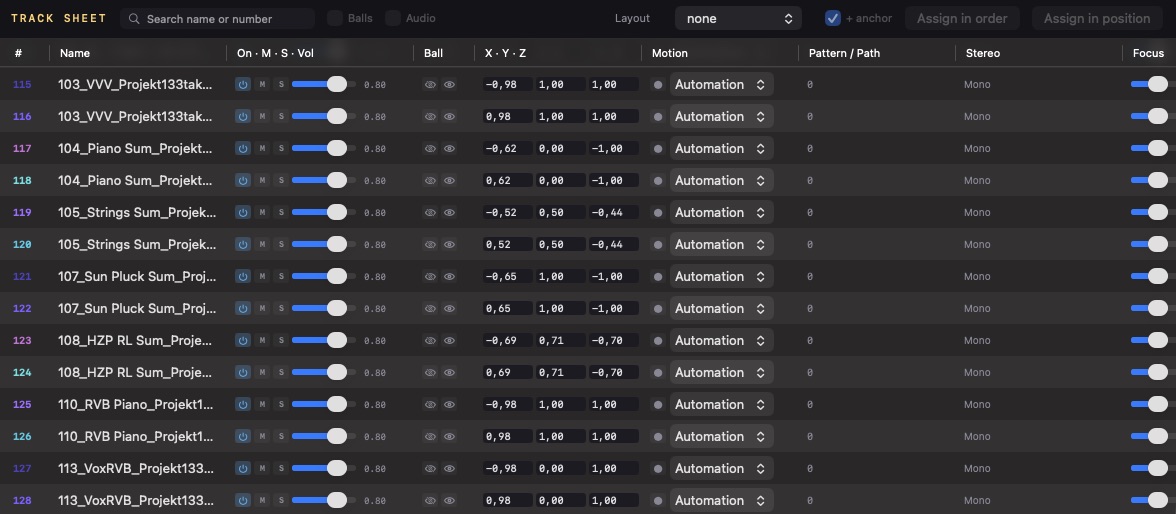
- Track Sheet — every track as one table: name, on/mute/solo, volume, ball, XYZ, motion source, pattern or path, stereo spread, focus and speaker assignment. Assign a whole layout in channel order, or by real rig coordinates
- Mixing — object mixer and main mixer as separate windows, with meters, faders and per-channel processing
Import
Nine entry points, so nothing you already own has to be rebuilt from scratch.
- ADM-BWF — full CHNA and AXML parsing, objects arrive as objects
- IAMF — the open immersive route, including Eclipsa-branded material
- Stems — automatic role detection from filename plus signal analysis when the name lies, with a review window before anything is committed
- Multichannel and Ambisonics — split into discrete objects on the way in
- Microphone arrays — a folder of capsule files becomes a placed scene. Seven arrays built in, plus your own
- Array recording — record every capsule at once from inside the application, with levels and clip warning per channel
- Stereo — through Lift, below
- Video and MIDI — reference material for picture work and hardware control
Microphone arrays
A spherical array records the whole room at once. Getting those capsules into a scene correctly is fiddly enough that most people give up, so it is built in.
- Seven arrays built in — Zylia ZM-1 and ZM-1S, Eigenmike em32 and em64, Core Sound OctoMic and TetraMic, Voyage Audio Spatial Mic, plus A-format tetrahedral
- Your own arrays — describe the capsule directions in a text file or a table and save it. A new microphone is a new file, not a new version of the application
- Estimated geometry — for an array nobody documented, capsule directions are spread evenly over a sphere by the golden angle. Marked as an estimate, never as fact
- Numeric sorting — a folder of nineteen files is read as 1, 2, 3, not 1, 10, 11. Getting this wrong puts capsule two at position eleven, and nothing about the result looks wrong until you listen
- Channel scan before import — every file is measured and marked live, quiet, dead or clipped. A dead capsule from a loose cable is found before the session, not after
- Audition — solo any capsule while looking at where it points
- Rotate and snap — turn the whole array to match how it stood in the room, or snap it to the grid
Recording happens in the application too: pick the interface, pick a folder, and every capsule is written as its own file with a level meter and clip warning per channel. What comes out imports straight back in.
Lift — stereo and stems into 3D
Not an upmixer that widens the image. A separation pass that produces real objects you can then place, move and trigger like anything else.
- Source separation — runs on your own machine, nothing uploaded; an existing master splits into an 11-object pipeline
- 13 genre presets — sensible starting distributions instead of a blank room
- Band split — separate a stem by frequency range and place the parts independently
- L/R and M/S — pull the sides out and give them their own position
- Distribution editor — adjust fan, scale and zone mapping, then save it as your own preset
The energy heatmap
Where the energy actually sits, in four readings of the same scene. Real-time shows this instant; accumulated builds up over the whole piece. Circles keep each source separate; fields interpolate them into one continuous surface.
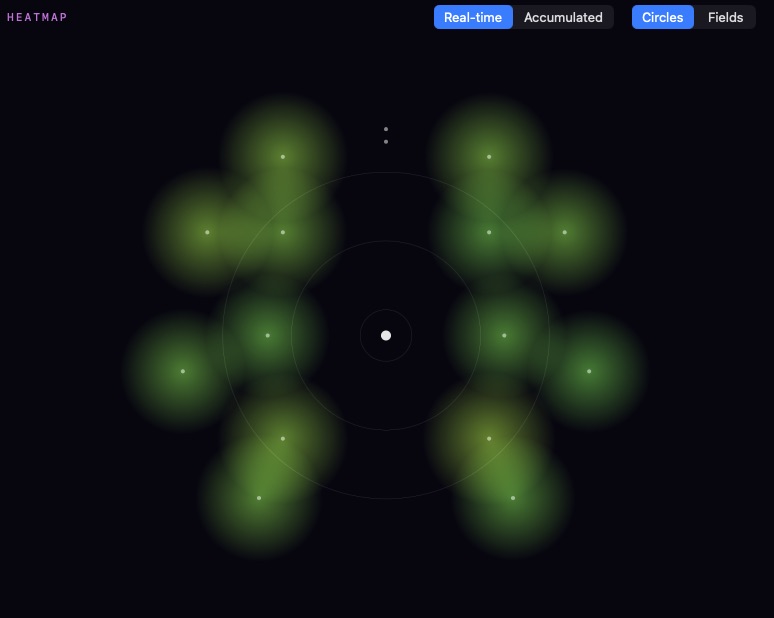
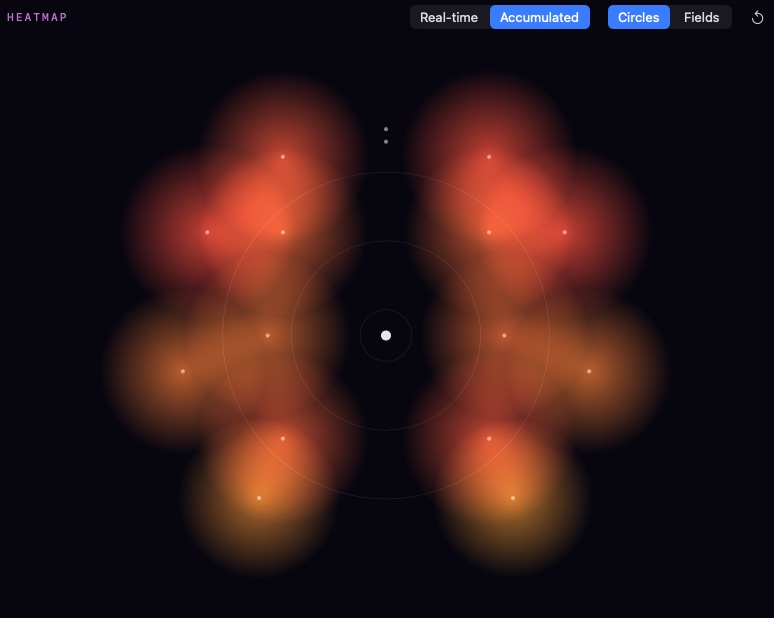
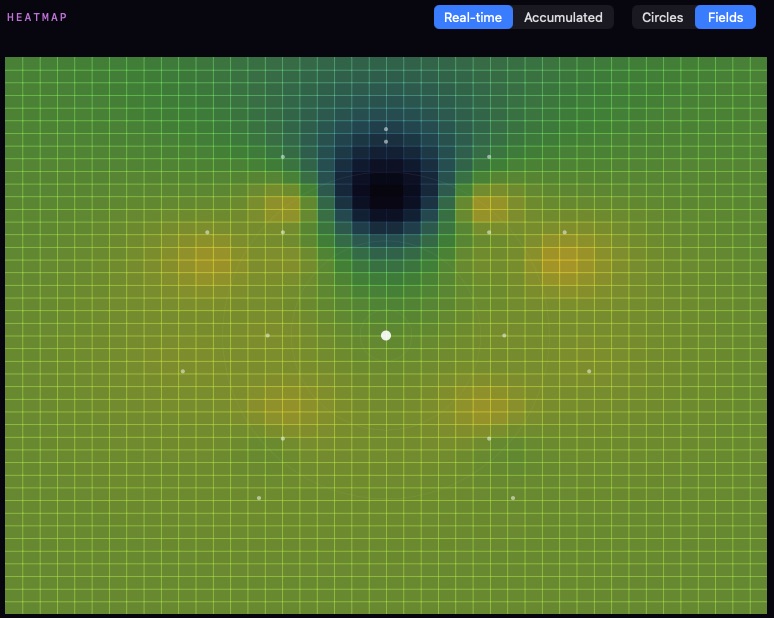
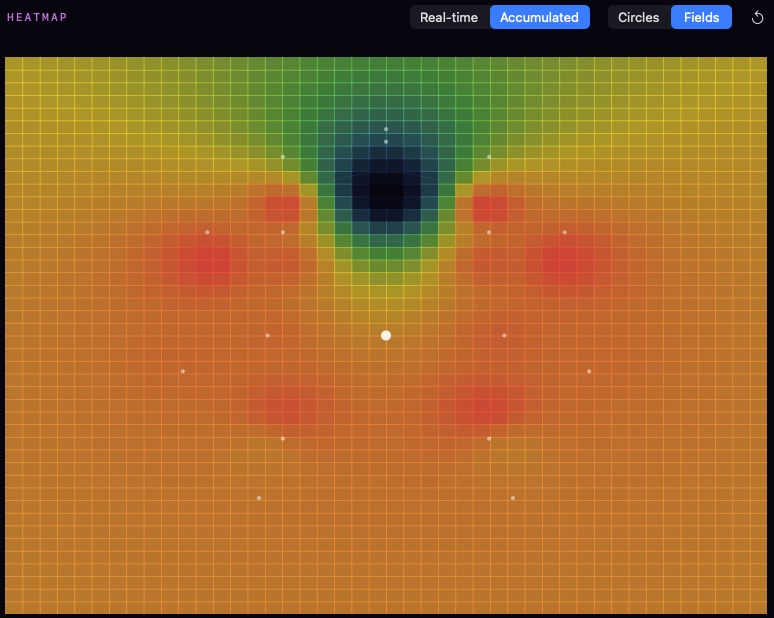
The accumulated view is the one that catches mistakes. A quadrant that stays cold for seven minutes is not a stylistic choice, it is an oversight — and you will not hear it, because your ears adapt.
Export & delivery
Every target that a paying client is likely to ask for, plus the streamable object format itself.
- ADM-BWF master — accepted by the major distributors
- IAMF / Eclipsa — the YouTube and Samsung route
- Multichannel and binaural — flat deliverables for anything that expects channels, plus cinema IAB, NHK 22.2 and the Auro-3D layouts on Enterprise
- saimox delivery — streamable, individually addressable, silence-optimised, Opus or PCM
- Loudness targets — per-platform normalisation built in, so one project produces several correct masters
- Batch convert — sample rate conversion and dithering across a folder

Listening
Every player runs the same rendering core, so a piece sounds the same wherever it lands. Playback is free on all of them, never capped and never behind an account.
- Inside Studio — the authoring tool contains the player, and playback needs no licence at all. Open a file, listen on whatever rig you have, pay nothing
- saimox Player for iOS — on the App Store today, free. Reactive playback, binaural with HRTF head tracking over AirPods, and a second-screen view for a TV or projector
- Web player — online now, the same library compiled to WebAssembly. A link opens a piece in three dimensions with nothing to install and nothing to sign up for
- Android — the same core again, next in line
What a player reads before it decodes anything
- Cover and catalogue information — artwork, title and credits come out of the package itself, not from a database somewhere
- Energy envelope — the shape of the piece over time, so a player can draw it before a single sample is decoded
- Loudness across five folds — measured once at export and carried in the file, so normalisation is instant rather than guessed
How it renders
- Locally, always — the player is handed the piece and a description of the speakers actually present, and renders for that specific room. Nothing is pre-rendered for a layout somebody guessed at
- Head tracking — with headphones that have motion sensors, the sound stage stays put while you turn your head. That data never leaves the device
- Triggers resolve here — sensors, environment and session state are read on the listener's device, which is the whole reason objects stay objects
- Provably identical — every build reports a conformance fingerprint derived from the movement formulas. Two devices reporting the same number compute the same positions
Studio opens both the .smx working master and the .smxd delivery. On iOS, Android and in the browser, players open .smxd — the streamable format made for playback. Every player →

Workflow
The parts that decide whether a tool survives past the first week.
- Keyboard first — every function reachable without the mouse. Arrows navigate, Enter fires, Delete removes, transport has shortcuts, and Esc cancels any import or export mid-run
- Familiar conventions — behaves the way established audio workstations behave, and only diverges where there is a reason
- Five workspaces — welcome, create, convert, play and a live deck for performance
- Video sync — frame-locked picture in its own window for scoring, referenced locally and never baked into the delivery
- Hardware control — MIDI controllers mapped through plain JSON, so a new device is a new file rather than a new build
- 12 themes — dark by default, switchable while you work, colour and shape always paired so nothing depends on colour alone
- System check — measures what your machine actually carries, in real steps: objects read from disk, decoded and rendered through the real output device until it stops. Writes the result to a file you can keep. Two of ours came out at 4,096 objects with 32 GB of memory and 8,192 with 64 GB — the limit is memory, roughly 1,024 objects per 8 GB, because each object holds a ring buffer